

Animated Basketball Score Overlay for VMIX – Fully Customizable Colors
9,99 €
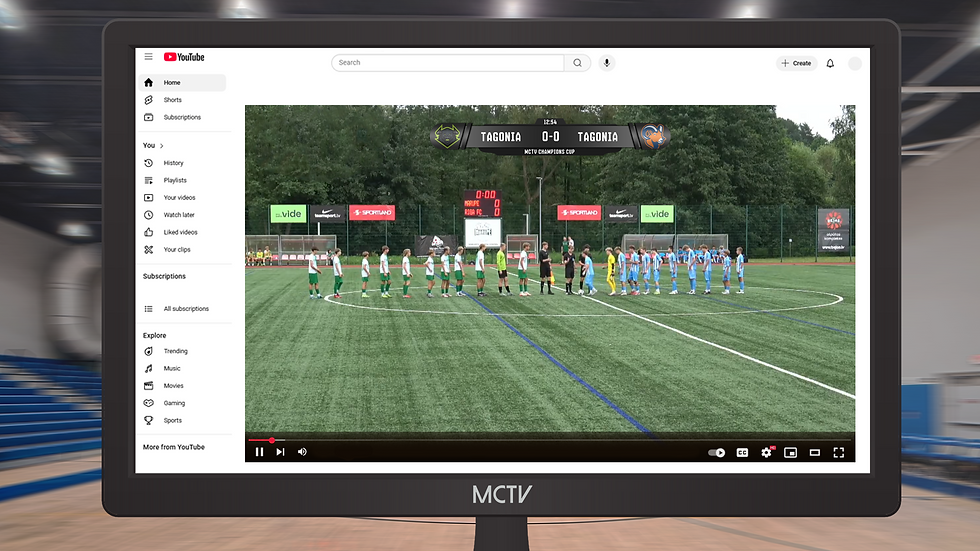
Professional animated sports score overlay for VMIX – designed to deliver modern broadcast-quality graphics for every livestream.
Take your productions beyond a basic scoreboard with a sleek animated score overlay featuring fully customizable colors, allowing you to perfectly match your league, tournament, club, or sponsor branding.
Built using VMIX GT Title Designer, every important match element can be edited directly inside VMIX without additional software.
The template includes editable:
League or competition logo
Team logos
Team names
Team scores
Game clock
Period / quarter indicator
Color theme for every major graphic element
Unlimited Color Customization
Unlike static scoreboards, this template allows you to completely customize the graphic's appearance directly inside VMIX.
Create unlimited combinations by adjusting:
Team colors
Background colors
Accent colors
League branding
Tournament identity
Sponsor color schemes
Perfect for sports such as
Basketball
Ice Hockey
Handball
Rugby
Lacrosse
American Football
Field Hockey
Futsal
Water Polo
Roller Hockey
Other timed team sports
Features
✔ Modern broadcast-style animation
✔ Fully customizable colors
✔ Editable league logo
✔ Editable team logos
✔ Team names and live scores
✔ Game clock and period display
✔ Clean professional score graphic
✔ Built with VMIX GT Title Designer
✔ Drag & drop ready
✔ Fonts included
✔ Installation guide included
✔ Ready for professional livestream productions
Additional Information
Software Requirements:
Vmix;
GT Title Designer;
Software Version:
VMIX 27.0. and newer;
GT Title Designer 5.0. and newer.
File Format: .gtzip
Color Variations: Yes
Fonts Included: Yes
Script Included: No
Customizable Fields:
Team names;
Team Scores;
Team Logos
Clock/time;
Quarter;
Team Colors
New to MCTV Studio?
How to use your vMix template
Watch our general setup guide to learn how to download, install and customize MCTV Studio templates in vMix